tailhome: a start page for my Tailscale services
A small Go start page that builds itself from the Tailscale services on my tailnet, with icons and live health checks.
I do most of my side-project coding on a small remote server now. Through Herdr, I can spin up an autonomous coding agent from my phone, let it build a new prototype, and expose the result as a Tailscale Service with its own HTTPS address on my tailnet.
That workflow is great, except I kept ending up on my phone typing random letters into the address bar, hoping autocomplete would remember what I named a service three weeks ago, or opening the Tailscale admin console just to find a URL.
I wanted a page at http://home/ where any new service would just show up, without maintaining another YAML file by hand. So I built tailhome.
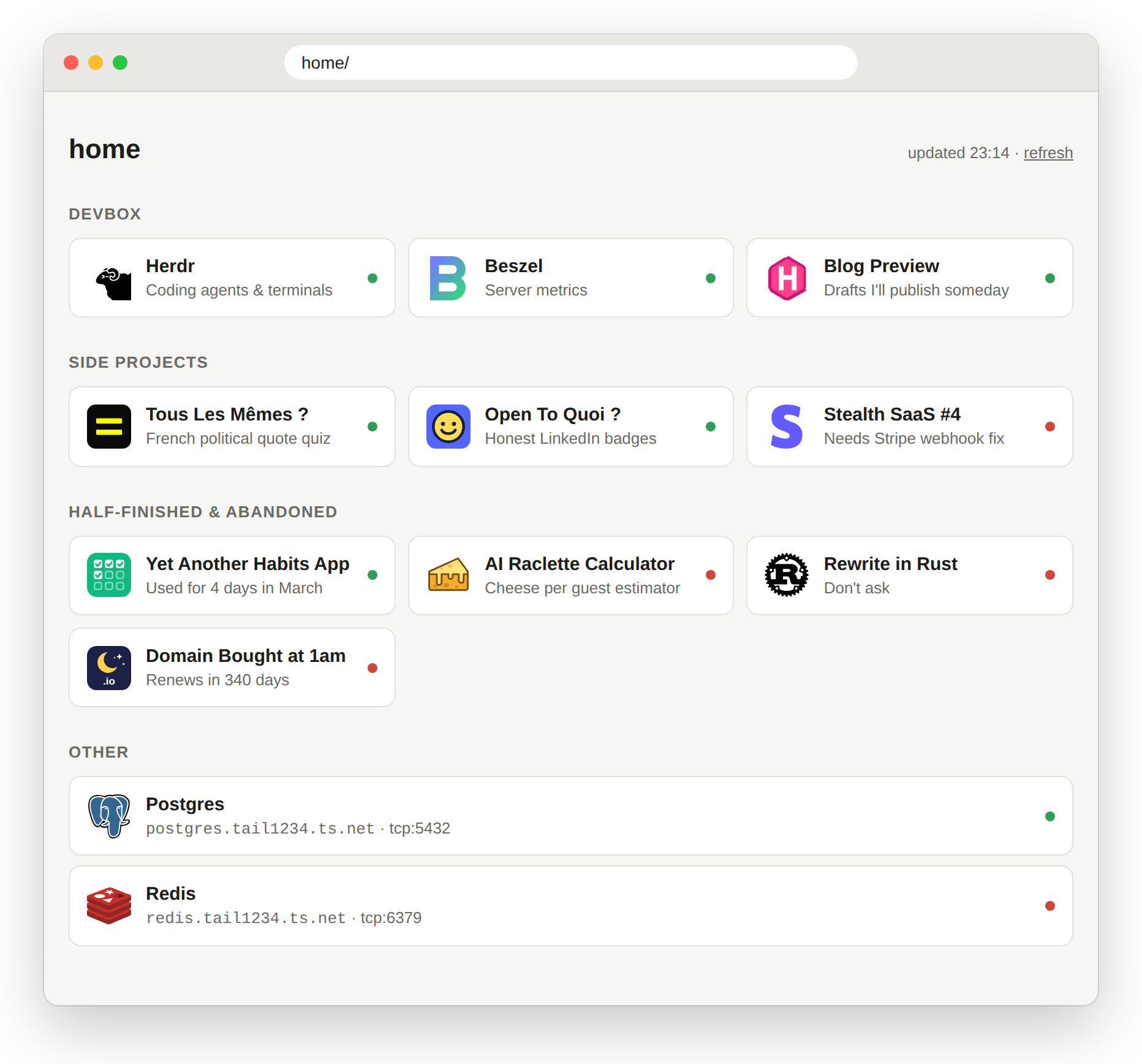
The list keeps itself up to date: tailhome queries the Tailscale API, groups your services by their tags, and pulls icons from dashboard-icons. Web apps show up as clickable tiles; non-HTTP services like Postgres or Redis sit at the bottom where a click copies their address. If you want to rename, reorder, or hide something, you can drop in an optional overrides.yaml.
It runs as a single Go binary that joins the tailnet directly via tsnet and advertises itself as svc:home. The host doesn’t need Tailscale installed, and because tailhome sits inside the tailnet, it checks each service directly: a green dot means the service actually responds.
It’s intentionally just a launcher. If you want widgets, server stats, or feeds, Homepage and Glance are much better choices.
Before AI, I wouldn’t have built something like this. This time I did, though I should say an AI wrote most of it, from the Go code to the tests, packaging and docs. I drove the design, tested it on my tailnet, and reviewed the diffs. It’s a small codebase, it’s tested, and I use it every day.
The setup instructions and Docker Compose file are on GitHub.