tailnet-preview: my coding agent sends me a link
An agent skill that publishes what my coding agent builds on my tailnet, checks the link and cleans up after itself. The previews show up in tailhome.
In my last post, I described how I work on side projects: a coding agent on a small remote server, started from my phone through Herdr, building a prototype I then open on my tailnet. tailhome fixed finding those apps once they run. The step before stayed manual: getting what the agent just built onto a URL my phone can open.
Testing what the agent built was always a hassle, especially on my phone or another machine. And once I had a link, I had to dig it up again the next time. So I wrote a skill for it.
tailnet-preview is a folder with instructions and a small Python script that Claude Code, Codex, Gemini CLI and other agents can load. When I ask “can I see this on my phone?”, the agent publishes the app with Tailscale Serve, checks that the HTTPS link really shows the app, and gives me the link. When I say I’m done, it removes what it published and nothing else.
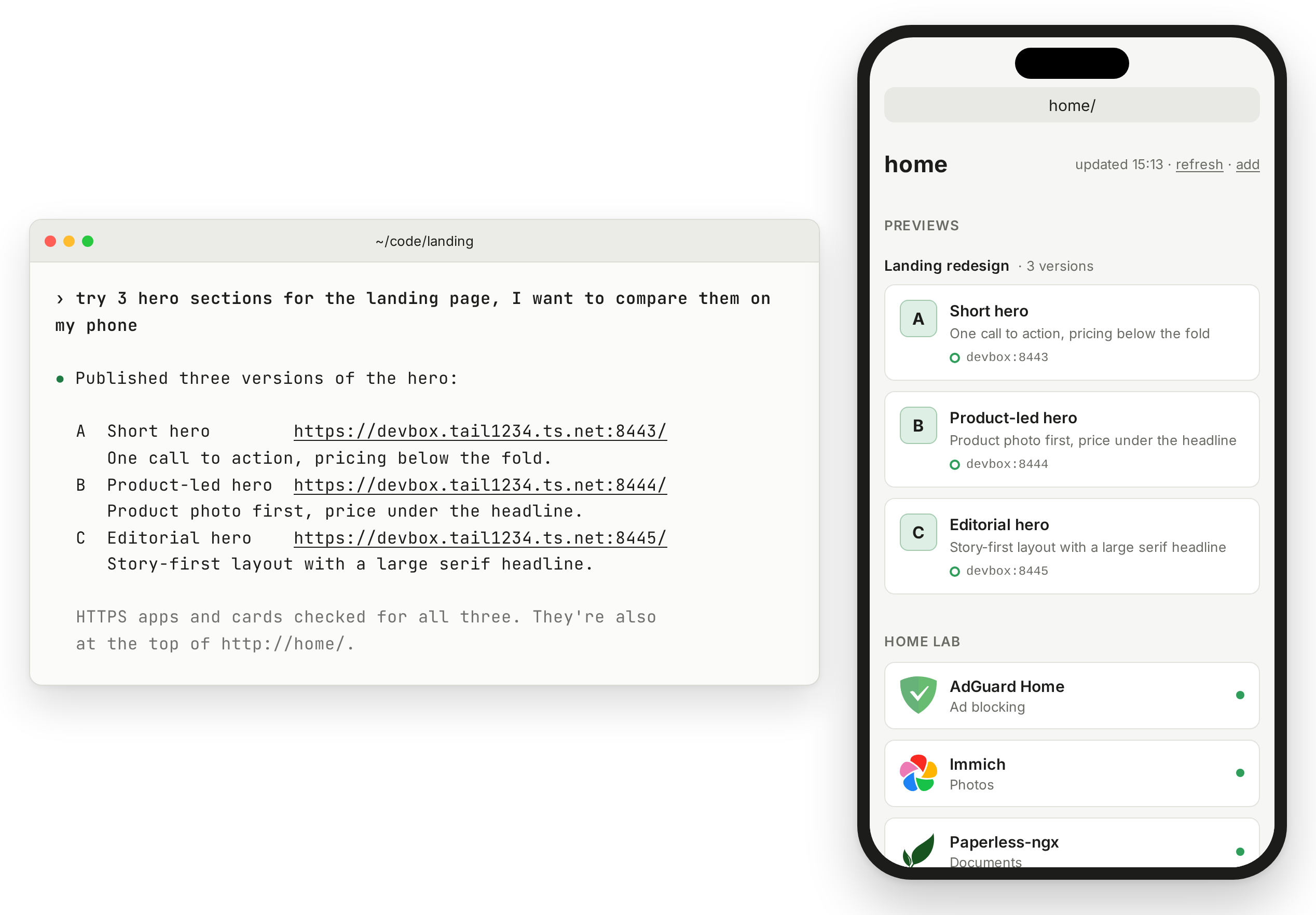
It can also publish several versions side by side. Ask for three hero sections and you get three links, grouped as one set. If you run tailhome, they appear at the top of home/ with the title and description the agent wrote, so on my phone I switch between versions without copying URLs around.
The links stay private. Only devices that your Tailscale access rules allow can open them, and the skill never uses Funnel, which would put them on the public internet.
It runs on Linux or macOS, needs Python 3.9 or later and the Tailscale CLI, and works without tailhome. To install it:
npx skills add mickey/tailhome --skill tailnet-preview -g
In Claude Code, you can also add it as a plugin:
/plugin marketplace add mickey/tailhome
/plugin install tailnet-preview@tailhome
Same disclaimer as last time: an AI wrote most of this, including the instructions that tell an AI how to behave, which is a little recursive. I tested it on my tailnet, from my phone and my Mac, and reviewed the diffs.
The skill, its privacy notes and the other install options are on GitHub.